

How Can a Monitoring Console Improve Control Room Efficiency and Decision-Making?
2026-06-10
Summary:
In modern control centers, operators must process large amounts of information from multiple systems simultaneously. A professional monitoring console serves as the foundation of an efficient command environment, helping organizations improve visibility, operator comfort, workflow management, and response speed. This article explores how a monitoring console enhances control room performance, key features to consider, common challenges it solves, and why selecting the right console solution is critical for long-term operational success.
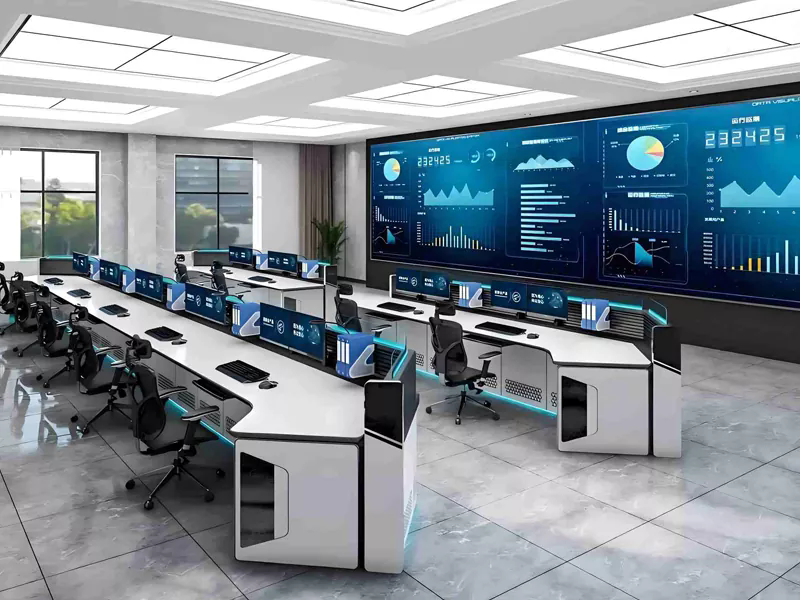
Table of Contents
- Why Is a Monitoring Console Important?
- What Challenges Do Traditional Workstations Create?
- How Does a Monitoring Console Improve Operations?
- Key Features of a Professional Monitoring Console
- Industries That Depend on Monitoring Consoles
- How to Choose the Right Monitoring Console
- Monitoring Console Comparison Table
- Future Trends in Monitoring Console Design
- Frequently Asked Questions
- Conclusion
Why Is a Monitoring Console Important?
As organizations increasingly rely on real-time data, surveillance systems, network infrastructure, industrial automation, and emergency response platforms, operators need an organized workspace that supports rapid decision-making. A monitoring console is specifically designed to centralize equipment, displays, communication devices, and operational controls into a single ergonomic workstation.
Unlike ordinary office desks, monitoring consoles are engineered for 24/7 environments where reliability, comfort, and efficiency are essential. Whether in a security operations center, transportation hub, utility control room, or industrial command center, operators often spend long hours monitoring critical systems. The right console design directly impacts productivity and response effectiveness.
What Challenges Do Traditional Workstations Create?
Many organizations initially use standard office furniture for monitoring operations. However, this approach often creates several operational issues:
- Poor visibility of multiple screens and displays
- Insufficient cable management leading to clutter
- Operator fatigue during extended shifts
- Limited equipment integration capability
- Reduced workspace efficiency
- Difficult maintenance and upgrades
- Inconsistent workflow organization
These limitations can slow response times, increase operator stress, and negatively affect overall operational performance. In mission-critical environments, even minor inefficiencies may have significant consequences.
How Does a Monitoring Console Improve Operations?
A professionally designed monitoring console addresses these challenges through intelligent engineering and user-centered design.
Enhanced Situational Awareness
Monitoring consoles are designed to optimize screen positioning, allowing operators to view multiple information sources simultaneously. Better visibility enables faster recognition of anomalies, alarms, and critical events.
Improved Ergonomics
Adjustable work surfaces, proper monitor placement, and ergonomic layouts reduce physical strain during long shifts. Comfortable operators remain focused and productive for extended periods.
Better Equipment Organization
Integrated storage spaces, equipment racks, and cable routing systems keep workstations clean and organized. This improves maintenance efficiency and reduces the risk of equipment-related issues.
Faster Response Times
By placing critical controls and information within easy reach, operators can react more quickly to incidents and operational changes.
Scalability
Modern monitoring consoles can accommodate future technology upgrades, additional displays, communication systems, and specialized equipment without requiring complete workstation replacement.
Key Features of a Professional Monitoring Console
When evaluating monitoring console solutions, organizations should consider the following features:
| Feature | Benefit |
|---|---|
| Ergonomic Design | Reduces fatigue and improves operator comfort |
| Modular Construction | Allows flexible configuration and expansion |
| Cable Management | Maintains a clean and organized workspace |
| Equipment Integration | Supports various communication and monitoring devices |
| Durable Materials | Ensures long-term performance in demanding environments |
| Monitor Mounting Systems | Optimizes viewing angles and space utilization |
| 24/7 Operation Support | Designed for continuous mission-critical use |
Industries That Depend on Monitoring Consoles
Monitoring consoles play an essential role across numerous industries where continuous oversight and rapid response are required.
- Security and Surveillance Centers
- Traffic Management Centers
- Power Generation and Distribution Facilities
- Emergency Command Centers
- Transportation Operations
- Industrial Manufacturing Plants
- Data Centers and Network Operations Centers
- Military and Defense Facilities
- Broadcasting Control Rooms
- Public Safety Communication Centers
Each of these environments requires specialized workstation configurations that support unique operational workflows while maintaining reliability and efficiency.
How to Choose the Right Monitoring Console
Selecting a monitoring console involves more than comparing dimensions and appearance. Decision-makers should evaluate both current operational requirements and future expansion plans.
Assess Operational Requirements
Determine the number of operators, display screens, communication devices, and specialized equipment that must be integrated into the workstation.
Prioritize Ergonomics
Since operators often work extended shifts, ergonomic considerations should remain a top priority. Adjustable features can significantly improve user comfort and performance.
Consider Expansion Capability
Technology requirements evolve over time. Modular designs allow organizations to adapt without replacing entire console systems.
Evaluate Material Quality
High-quality construction materials provide greater durability and lower maintenance costs throughout the console's lifecycle.
Review Cable and Equipment Management
Effective cable routing and equipment storage simplify maintenance while maintaining a professional operational environment.
Monitoring Console Comparison Table
| Criteria | Standard Office Desk | Professional Monitoring Console |
|---|---|---|
| Ergonomic Support | Limited | Advanced |
| Multiple Monitor Integration | Basic | Optimized |
| Cable Management | Minimal | Comprehensive |
| 24/7 Operation Suitability | Low | High |
| Equipment Accommodation | Limited | Extensive |
| Future Expansion | Difficult | Flexible |
| Operational Efficiency | Moderate | Excellent |
Future Trends in Monitoring Console Design
The evolution of control room technology continues to influence monitoring console development. Future-ready console solutions increasingly incorporate:
- Height-adjustable workstations
- Smart power management systems
- Integrated environmental controls
- Advanced monitor mounting technologies
- Improved modular architecture
- Enhanced cable routing systems
- Sustainable and environmentally responsible materials
These innovations help organizations improve operational efficiency while supporting evolving technology requirements.
Frequently Asked Questions
Q1: What is the primary purpose of a monitoring console?
A monitoring console provides a centralized, ergonomic workstation that enables operators to manage multiple systems efficiently and respond quickly to operational events.
Q2: Can monitoring consoles support multiple monitors?
Yes. Most professional monitoring consoles are specifically designed to support multiple displays and specialized monitoring equipment.
Q3: Are monitoring consoles suitable for 24/7 operations?
Absolutely. Professional consoles are engineered for continuous use in mission-critical environments.
Q4: Why is ergonomics important in a control room?
Proper ergonomics reduce fatigue, improve operator comfort, and help maintain concentration during long operational shifts.
Q5: Can monitoring consoles be customized?
Many modern solutions offer modular configurations that can be customized according to operational requirements, equipment layouts, and room dimensions.
Conclusion
A monitoring console is far more than a workstation—it is a critical component of modern control room operations. By improving visibility, ergonomics, organization, and operational efficiency, the right console solution helps organizations achieve faster response times and more reliable performance. As monitoring environments become increasingly complex, investing in a purpose-built console system becomes an essential step toward operational excellence.
Temerui specializes in advanced monitoring console solutions designed for demanding control room environments. Whether you are planning a new command center or upgrading an existing facility, our team can help you identify the ideal configuration for your operational needs. Contact us today to discuss your project requirements and discover how Temerui can help create a smarter, more efficient control room.